Your schedule, on your phone
This page is for the people who work the shifts. If your agency uses Delegyn Shift, here is exactly what you get and what you can do with it.
Five things, and that is the whole app.
There is no training for this. You sign in, and the first thing on the screen is what you are working next.
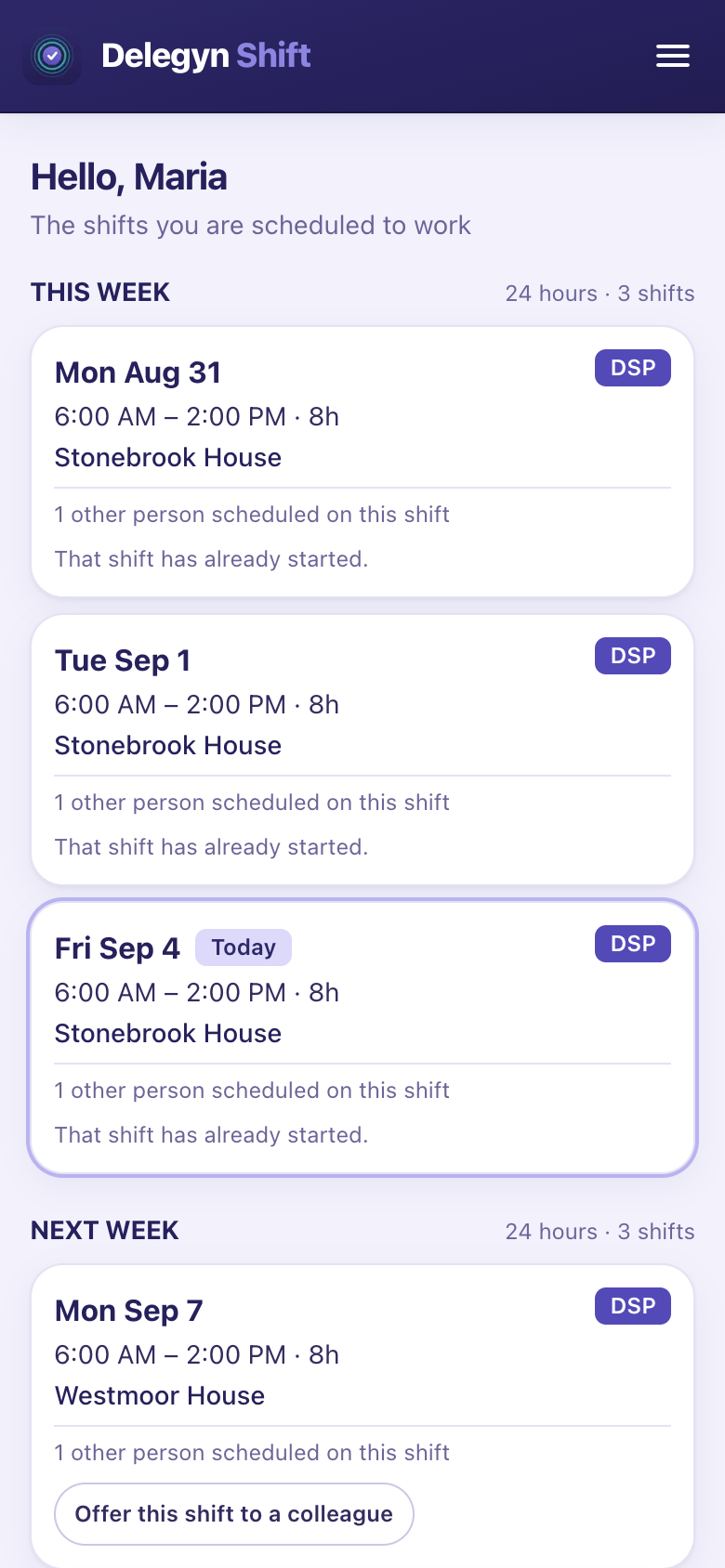
See what you're working
Your own shifts, with the date, the times, the home or program and the position. Nothing to scroll past — no colleagues' rosters, no other locations, no filters to set first.
You only ever see schedules your agency has published, so what is on your phone is what they have committed to. A draft is still being worked on; you see it when they post it, and you are told if a published shift moves.
Pick up an open shift
Shifts that need covering, that you are actually qualified and available for, in one list. You ask for the ones you want instead of finding out about them in a group text you have muted.
Asking for a shift does not assign it to you. A scheduler decides who gets it, because they can see what else is moving that week.
Hand a shift to a colleague
Something comes up on Thursday. You offer the shift, and a colleague who could work it can take it — without either of you working out who to phone.
Optional, and your agency picks how it works: either a supervisor approves each hand-over, or a qualified colleague can simply take it. Offers close a set time before the shift starts — three hours by default — because a shift nobody has claimed is still yours.
Ask for time off
Pick the dates, add a reason if you want to, and send it. You can see whether it is still pending, and you can withdraw it while it is.
Optional, and off until your agency turns it on. Plenty of agencies run leave through an HR system that is the record, so if you cannot see this, ask where your agency wants leave requests to go.
See your own reliability score
If your agency uses reliability scoring, you can see your own rating and the events behind it — the dates, which shifts, and what each one cost you.
Optional twice over: an agency chooses whether to use scoring at all, and separately whether staff see their own. Plenty keep it at management level.
Every screen a staff member gets.
The week they are working, the shifts nobody is on yet, and whichever of the rest you switch on.
-
My shifts Two weeks a screen, with the hours beside each week and today outlined — and they can page as far ahead as you have published. -
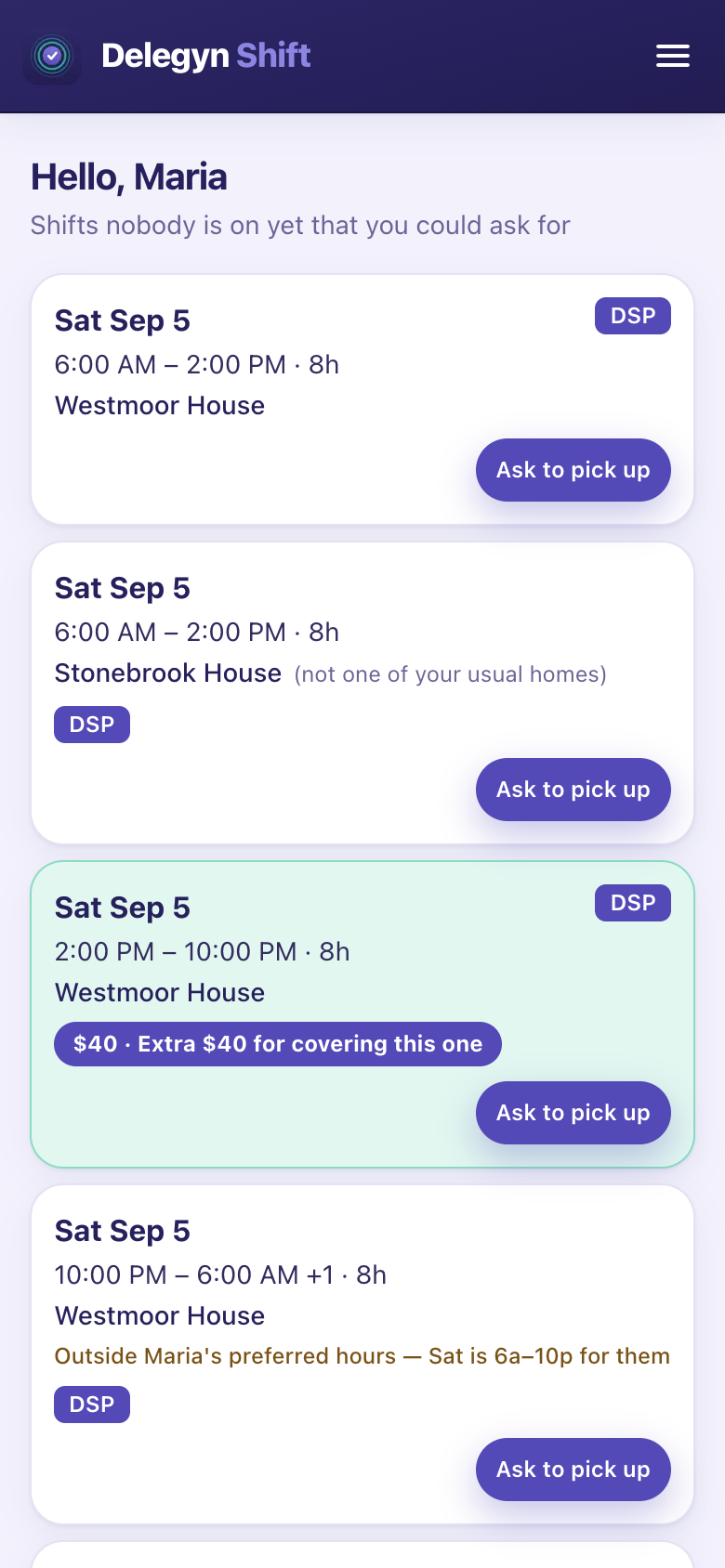
Open shifts Only shifts they could actually work. Asking is not taking — a scheduler still decides. -
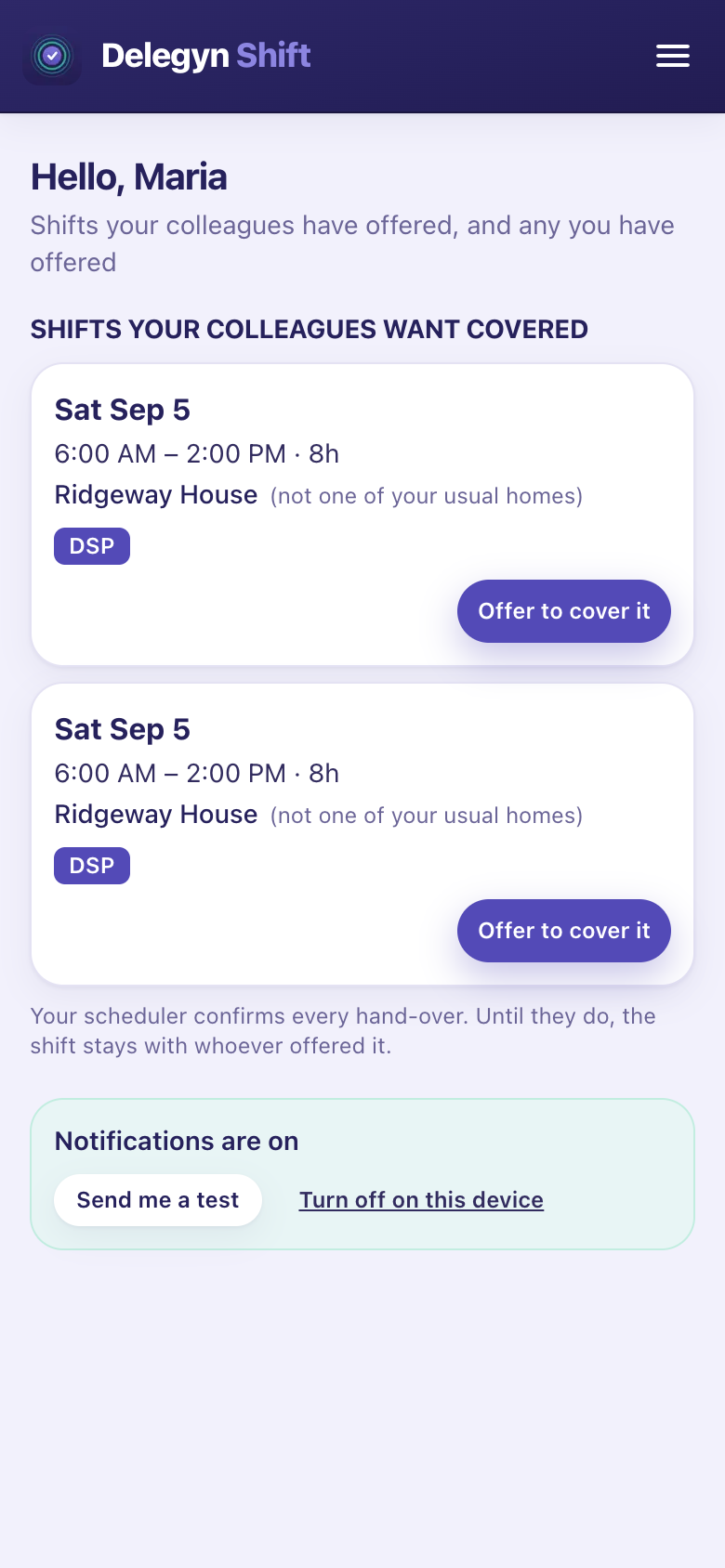
Swaps A shift they cannot work, offered to colleagues. Still theirs until somebody takes it. -
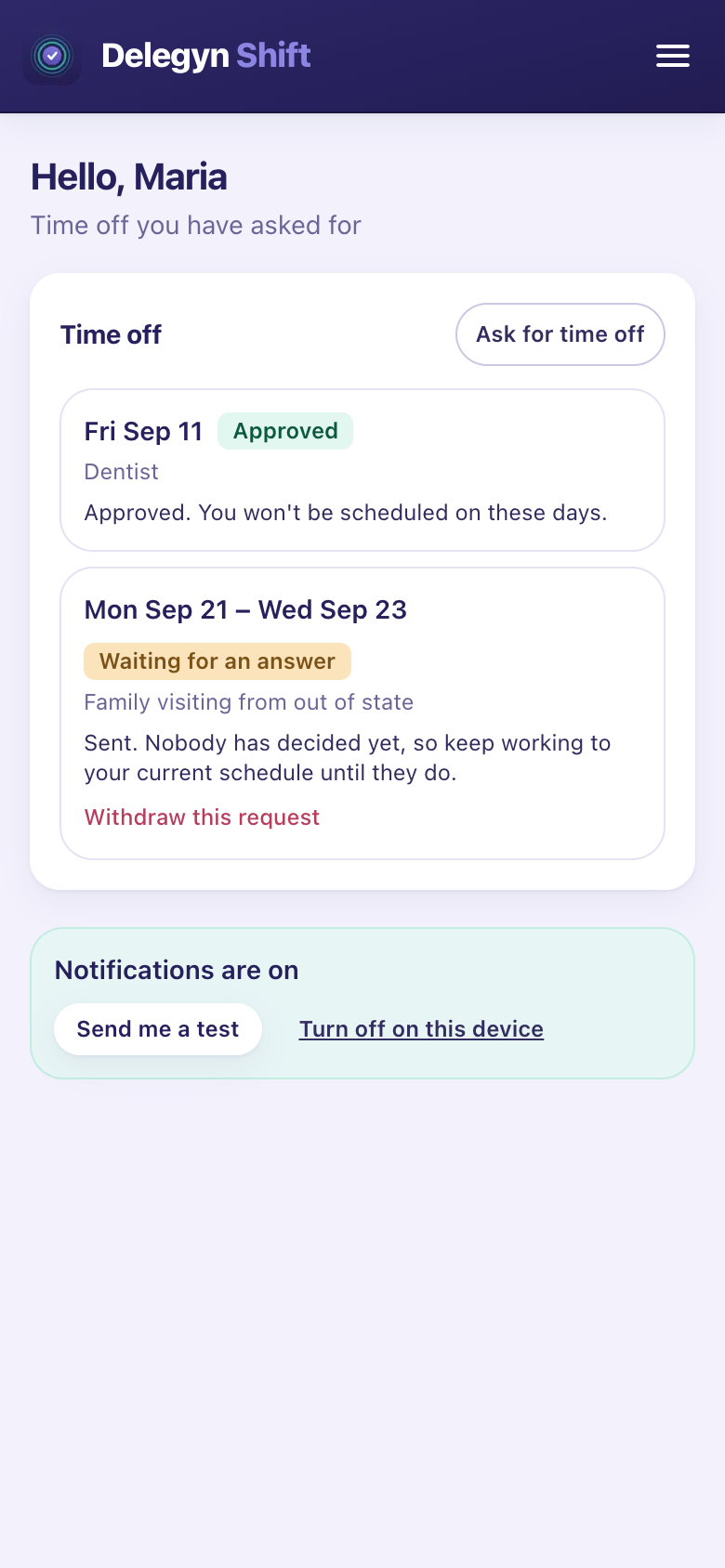
Time off What they asked for and what they were given, and it never reads as a yes until it is one. -
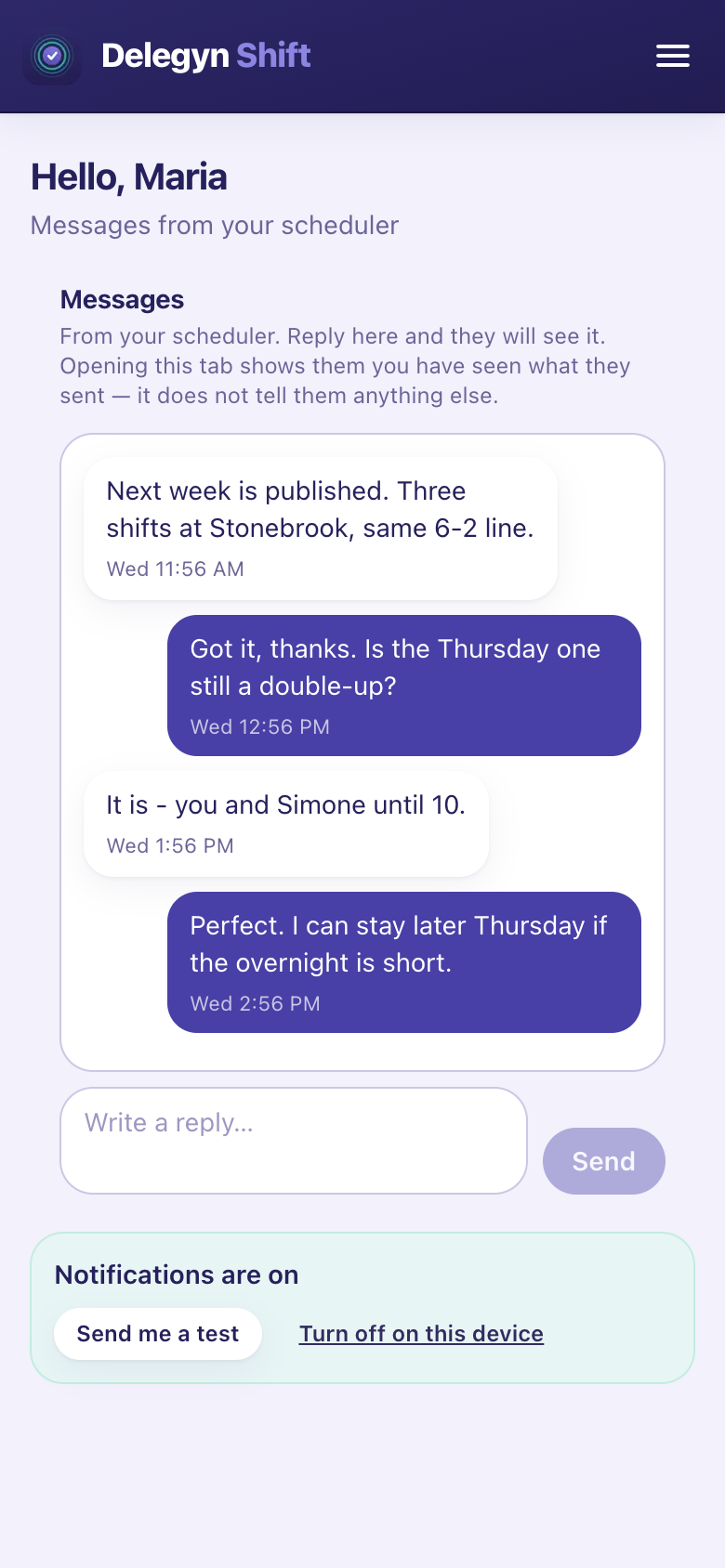
Messages The inbox is the record, whether or not a notification reached the phone. -
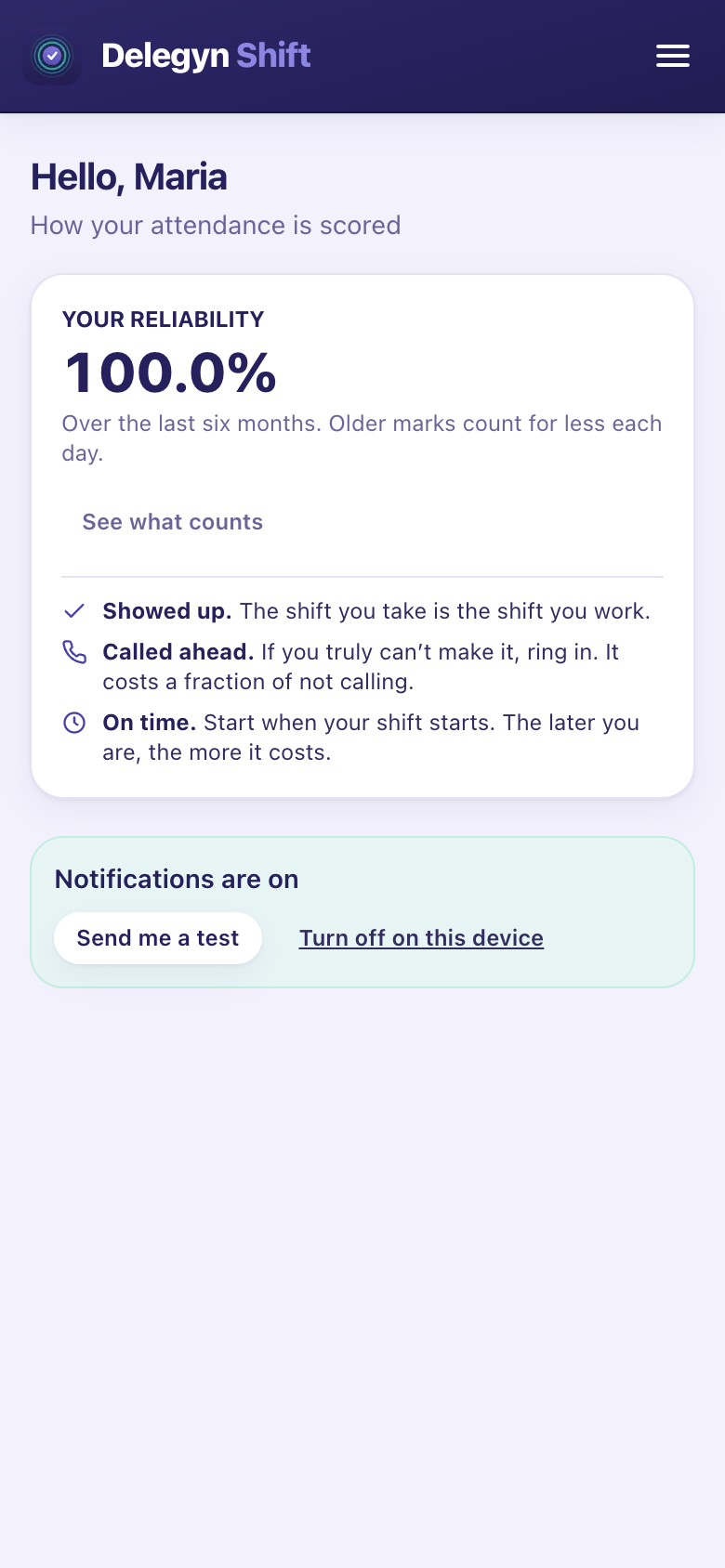
Their score Their own attendance and what it was built from. Never anybody else’s. -
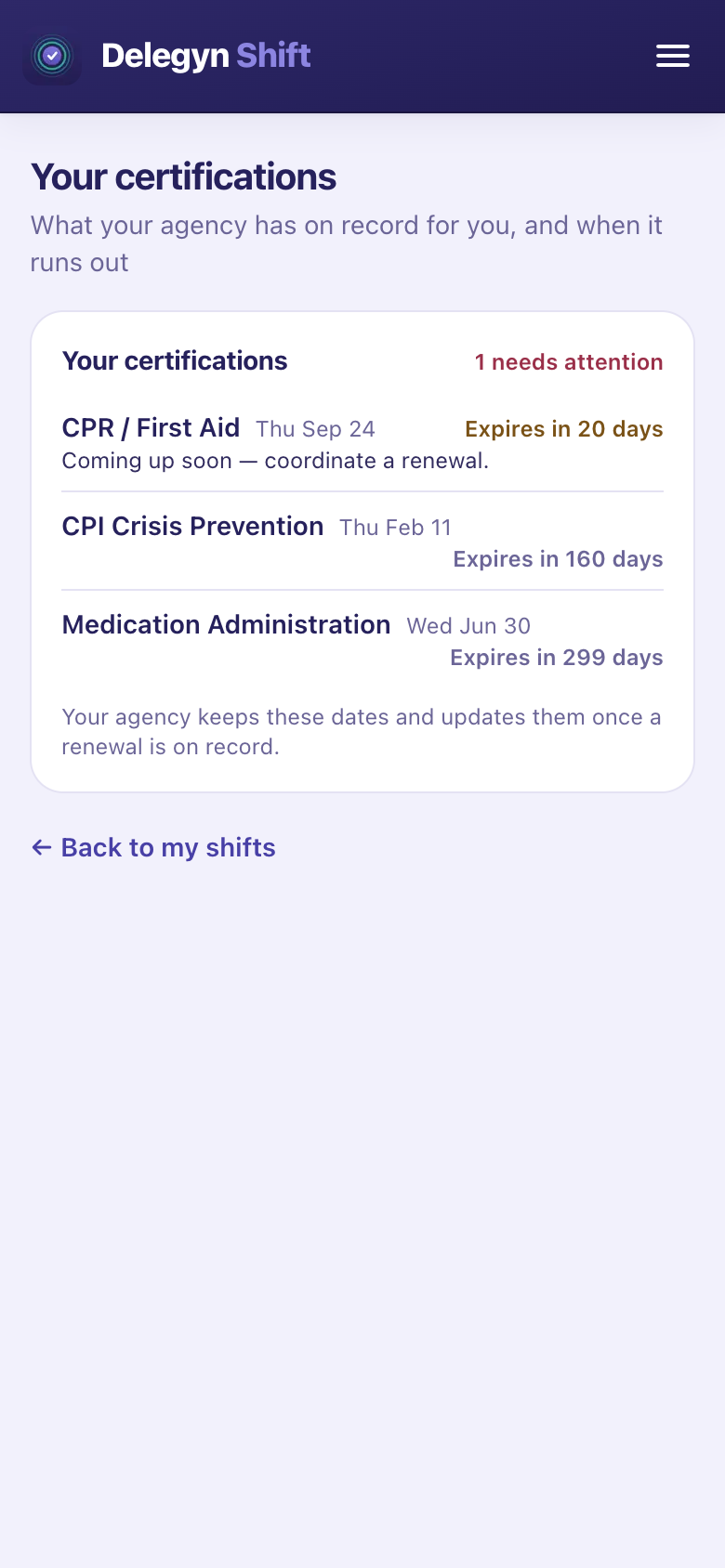
Certifications Soonest first, with anything inside thirty days called out.
There is no app to download.
Your agency sends you a sign-in link. If they have your email address it arrives by email; otherwise someone hands it to you by text or in person. You set a password once, and that is the setup finished. The link works once and expires after a week, so if it has been sitting in your messages since last month, ask for a new one rather than assuming it is broken.
After that it opens in your phone's browser, and you can put it on your home screen so it opens full screen like any other app:
- iPhone: tap the share button, then "Add to Home Screen", then "Add". Three taps.
- Android: tap the install prompt when it appears. One tap.
Nothing to approve on a managed device, no app store account, and no storage taken up. If you would rather just bookmark it, that works exactly the same.
It needs a connection. The schedule is read live every time you open it, so what you see is what is true now rather than what was true when you last had signal.
Try it on this week.
Fourteen days, your real schedule, no card. Long enough to build a full week and print it for the wall.
Start a free trialQuestions first? sales@delegynshift.com