
Fill a whole week at once
Open shifts get matched against who is available, who already has a shift that day, who is near their hours, and who has said they want extra — then you review it before anything is published. It suggests; you decide.
Next week's schedule, filled in ten minutes.
If someone has to be in the building at 3am, this was built for you. Delegyn Shift schedules DSPs, CNAs, Med Aides, and Nurses across group homes, assisted living, long-term care, supported living and day programs — with overnights, hard hour caps and 5am call-offs treated as the normal case, because they are.
No card, no call, no setup fee. Your schedule stays readable even if you walk away.
A whiteboard that only one person can read. A spreadsheet that forgets who cannot work Sundays. A group text at 5:40am asking whether anyone can take Tuesday at Westmoor, and four people replying "who else is on?"
That is what this fixes. One schedule everyone can read, availability it remembers day by day, and open shifts staff can claim from their phone.
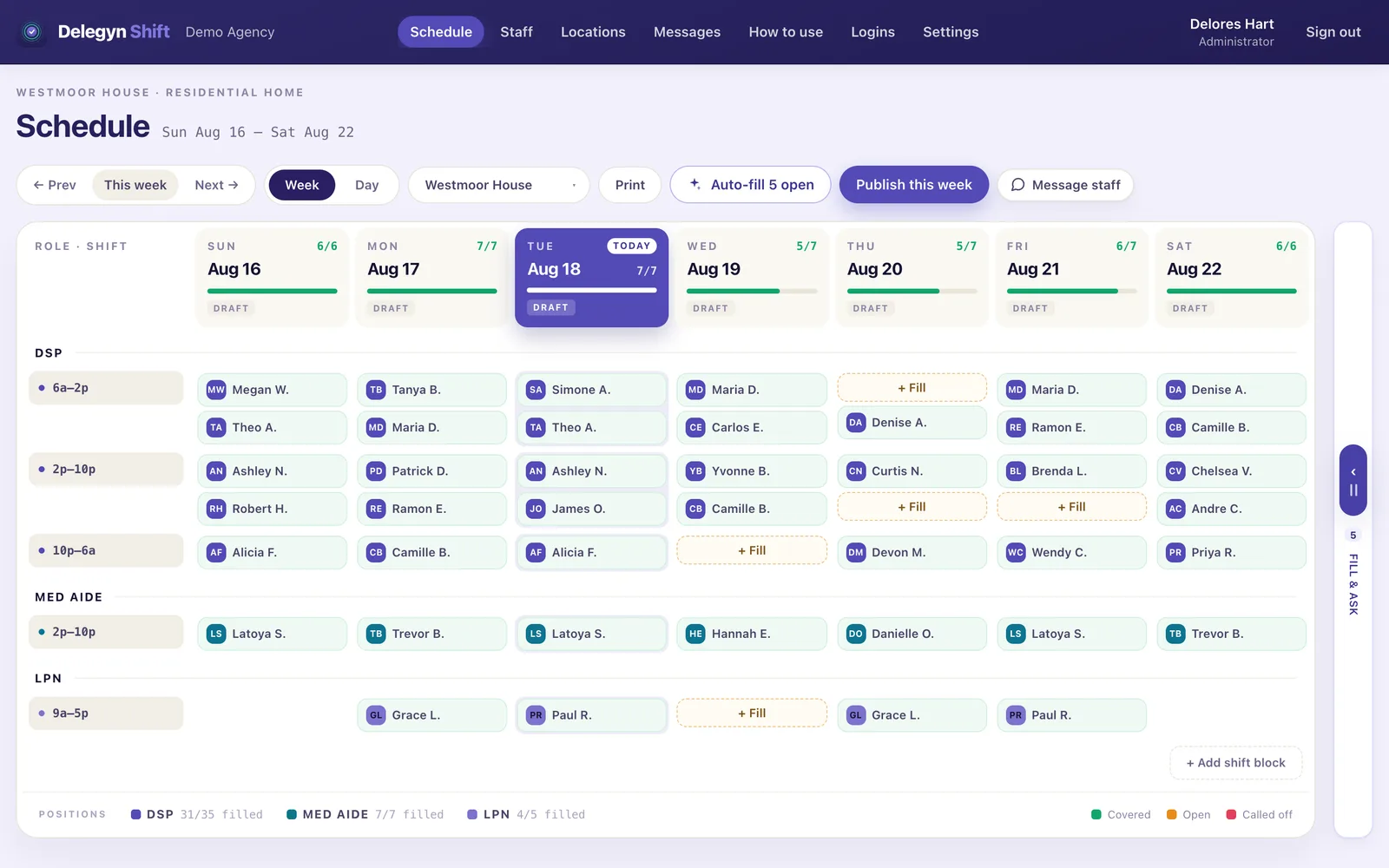
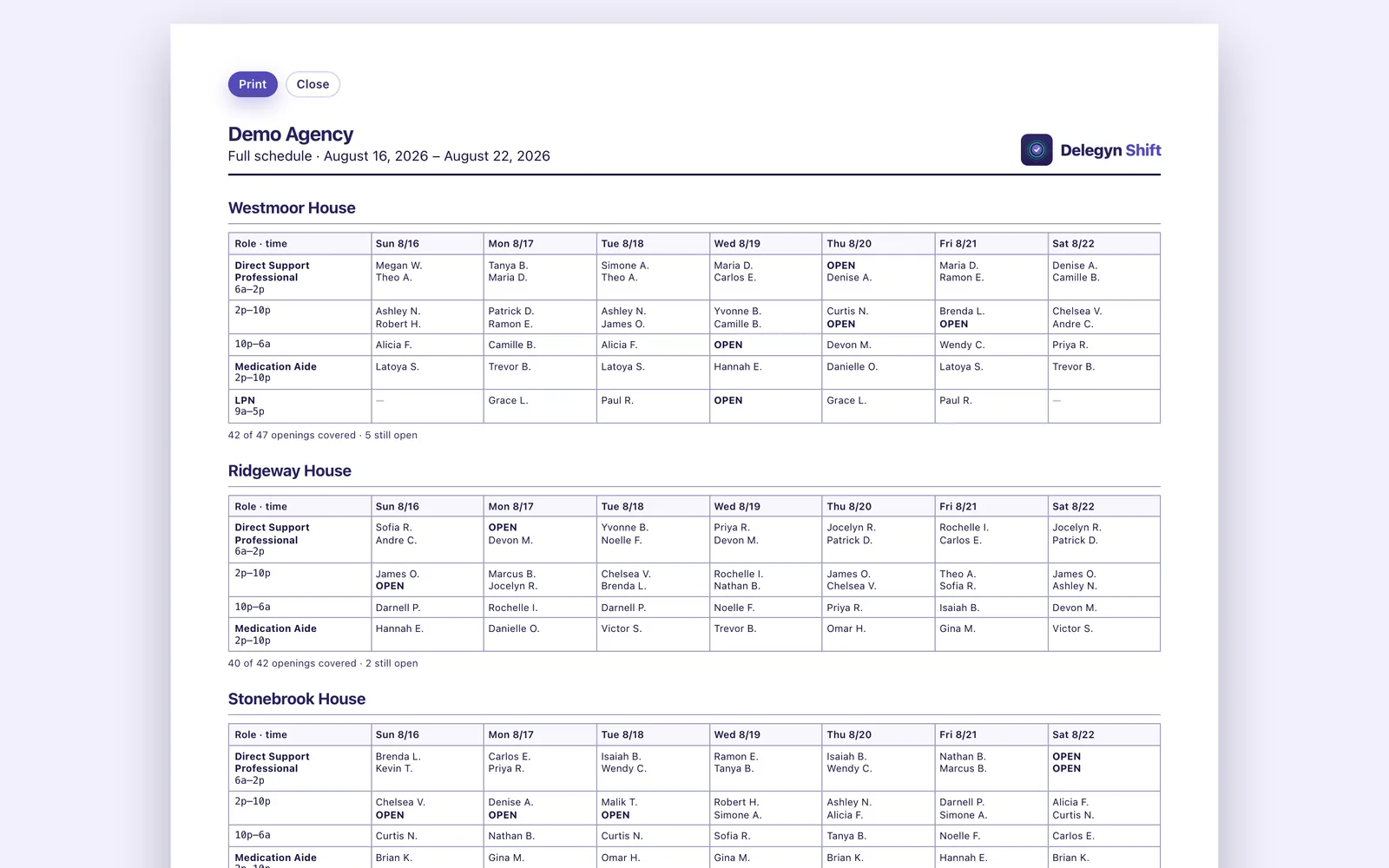
A group home never closes. Somebody has to be in the building at 3am on a Sunday, and the schedule is what says who — which is a different problem from covering a dinner rush.
It was built first for IDD providers, where the rules are strictest — every-other-week rotations, hour caps that cannot be broken, med-aide slots only certain people can fill. Nothing about that is unique to IDD. Assisted living, long-term care and supported living run similar weeks with similar positions.
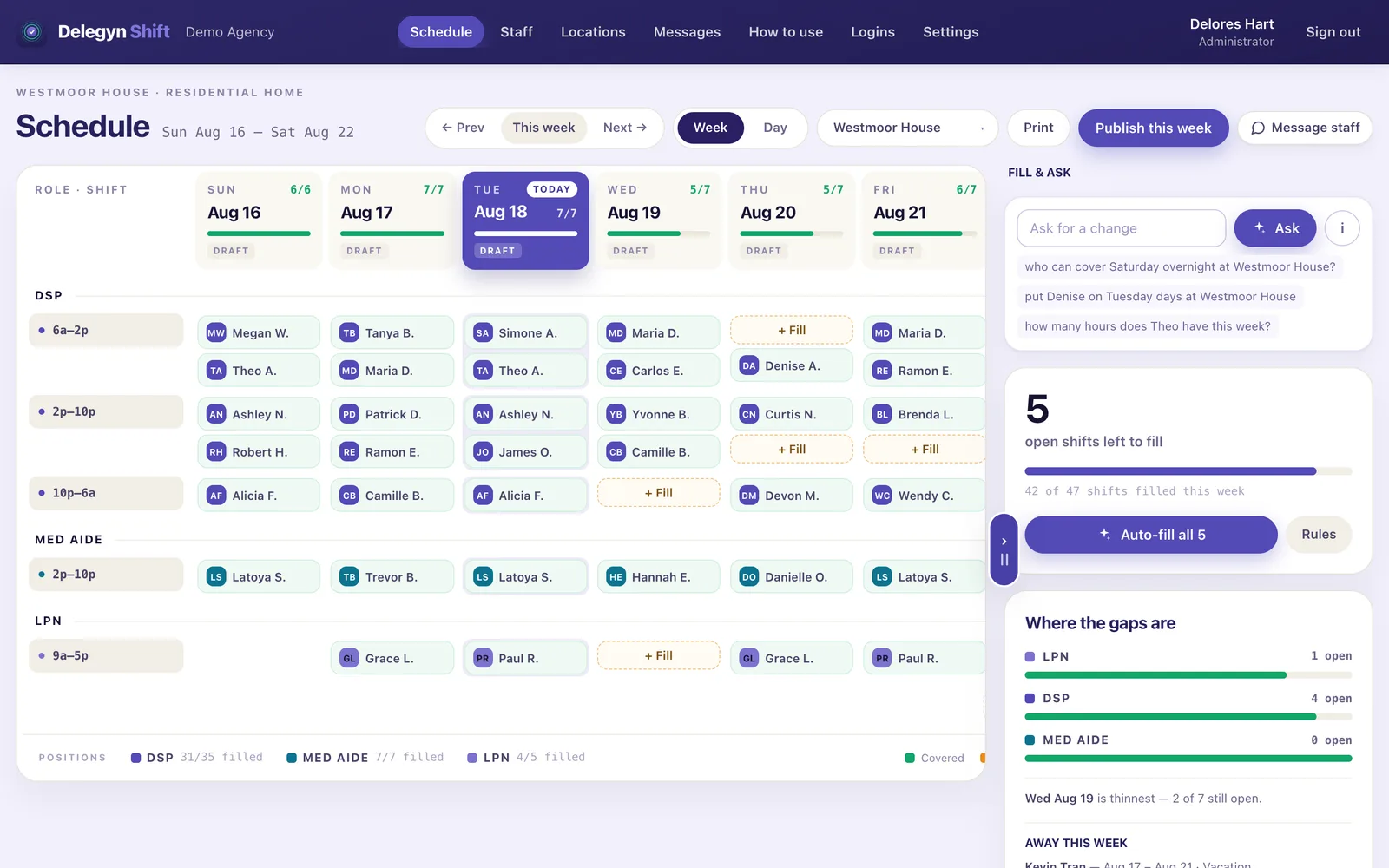
Open shifts get matched against who is available, who already has a shift that day, who is near their hours, and who has said they want extra — then you review it before anything is published. It suggests; you decide.
A 10pm–6am shift is eight hours, on the right day, in the right week. Sounds obvious. It is the single most common place a scheduling tool quietly miscounts, and payroll is where you find out.
A nurse contracted to 20 hours is a rule the system refuses to break. Someone who would rather not work weekends is a preference it warns you about. Both readings exist because you need both.
6am–2pm Monday to Wednesday, evenings Thursday, never Sundays. Real availability differs by day, and forcing it into one window is how people get asked to work shifts they already said they couldn't.
"Who can cover Saturday overnight at Ridgeway?" or "put Maria on Tuesday days at Westmoor." It shows you what it understood and what it would change, and waits for you to confirm.
Marking someone off reopens the shift as a hole that needs covering — and records what happened, on what date, entered by whom. Six months later the pattern is a record instead of two supervisors remembering it differently.
Point it at a half-built week and every open shift gets a name — or a reason nobody could take it. It only ever fills: it never moves, replaces or unassigns anyone, so running it finishes the week instead of rearranging the parts you already decided.
The fill will not do any of them. Assigning by hand asks the same engine, so it cannot invent a rule or skip one — with a single deliberate difference: a supervisor can schedule over approved time off, and is asked to confirm it with the dates named. Nothing does that to somebody unasked.
Overtime is a warning, with the projected hours, because agencies run mandatory overtime and software that forbids it is software people work around.
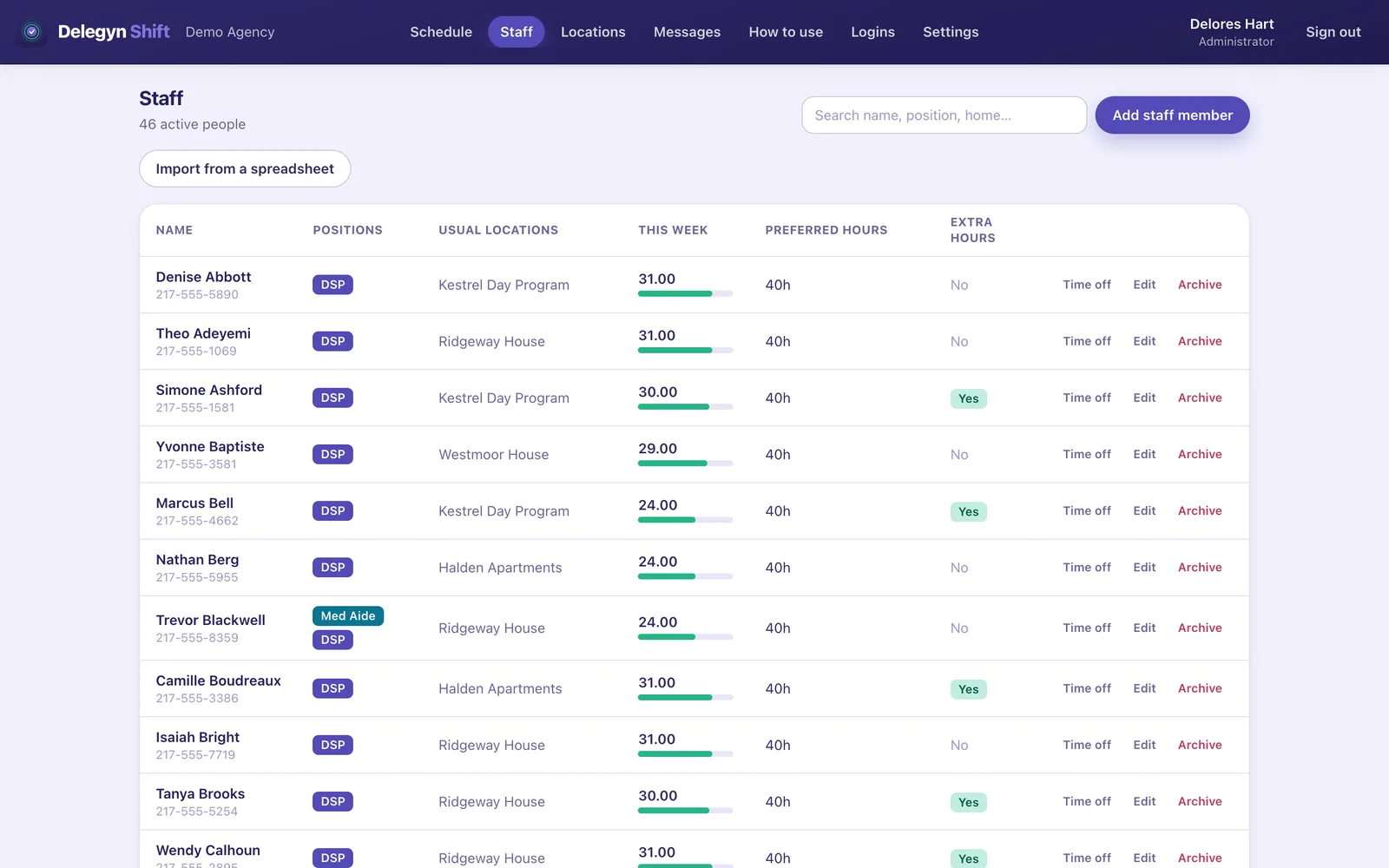
Every staff member gets their own sign-in. They see their shifts, pick up open ones, and — if you allow it — hand a shift to a colleague, from their phone, without an app store.
It installs to a home screen in three taps and opens like any other app. There is nothing to download and nothing to approve on a work device.
This week and next, with hours totaled, and every published week beyond them. Published schedules only — nobody plans their week around a draft that then changes.
They ask, you approve. If you've attached a bonus to a hard-to-fill shift, they see it on the card before they decide.
Off unless you turn it on, and you choose whether a scheduler confirms each one. Offering a shift never gives it up: it stays theirs, and their own screen keeps saying so, until someone actually takes it. Nobody ends up thinking a shift is covered when it isn't.
An optional add-on at $1 per staff member per month, off until you ask us to switch it on. Free on your first 50 staff for our founding agencies.
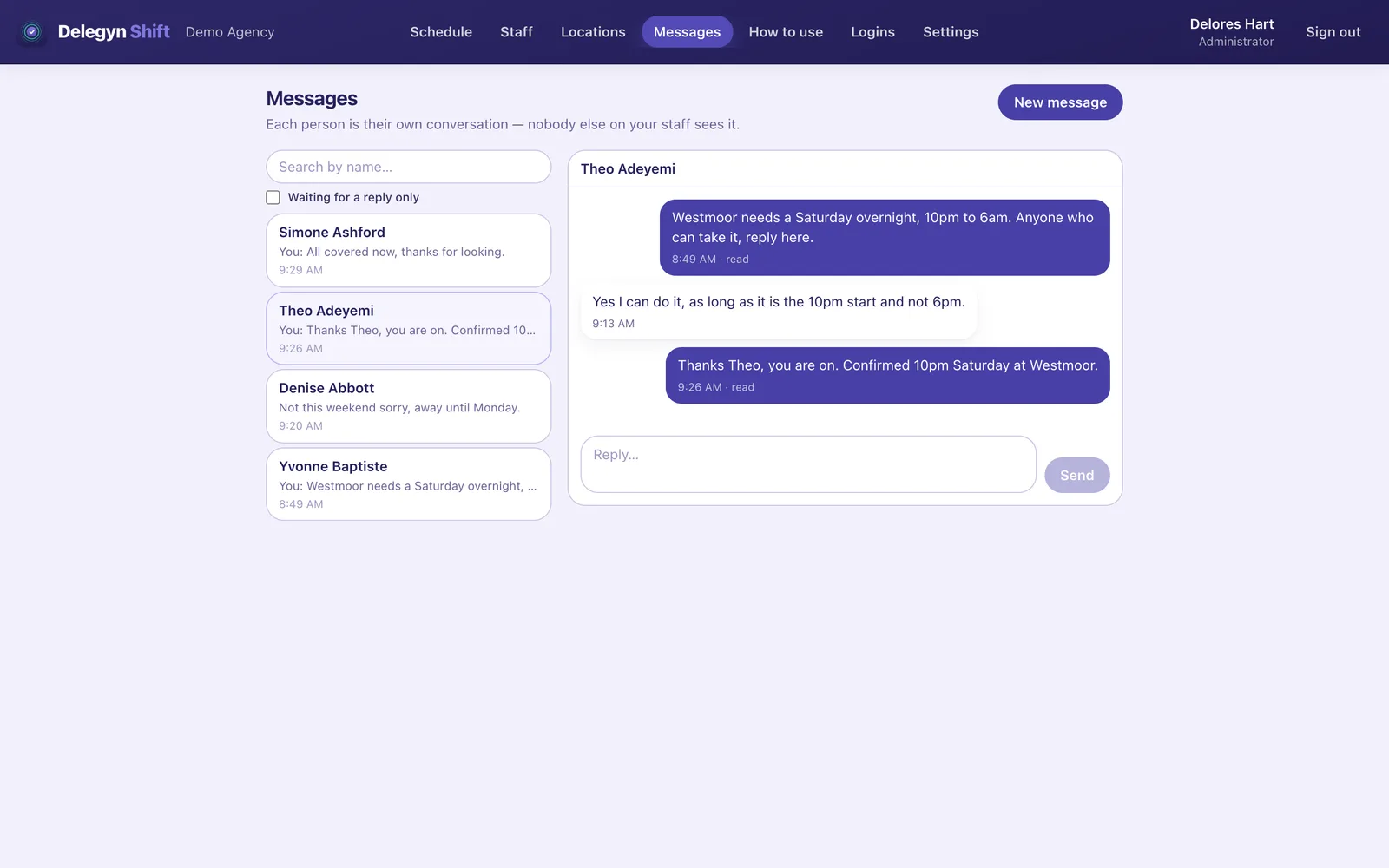
Message one person, or a group picked by home and position — you see exactly who that is, by name, before it sends. It lands in their inbox in the app, not as a text, and they reply in the same place. Nobody else on the roster sees it.
Notifications go out when things happen, and each person’s own phone settings decide whether one makes a sound at night. You can see once they've opened their inbox — that is all it tells you.
Everything staff can and can't do → — a page you can send them.
One rate, no tiers, no minimum, no annual contract. You can see exactly what you'd pay before you talk to anybody.
Pricing Facts
Delegyn Shift
Staff scheduling — month to month
| Item | Amount Per Month |
|---|---|
| Base rate, any size agency | $20 |
| Per enrolled staff member | $1 |
| A login for every staff member | Included |
| Auto-fill a whole week | Included |
| Credential expiry tracking | Included |
| Locations, positions, schedulers | Unlimited |
| Setup fee | $0 |
| Contract or minimum term | None |
| Minimum staff count | None |
| Price change by agency size | 0% |
| Total Monthly | $52 |
14 days free, no card · delegynshift.com
Archived staff aren’t counted, and a login with no staff record is free.
Same rate above 250 — type an exact number.
Two optional add-ons exist and are not counted above: reliability scoring at $20 a month flat, and Messages at $1 per staff member. Neither is needed to run a schedule and neither is on by default — what they do and what they cost. Messages is free on your first 50 staff for our founding agencies.
The things people actually ask → — set-up time, the trial, overnights, payroll, audits, what we don't store, and who is behind it.
Fourteen days, your real schedule, no card. Long enough to build a full week and print it for the wall.
Start a free trialQuestions first? sales@delegynshift.com